
RAISE-365
Raise 365Events
3.8155.00 Reviews
- Version
- 2.0.10
- Installs
- 100.00K
- Age Rating
- Everyone
Screenshots
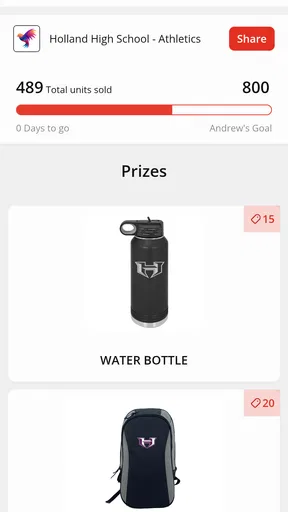
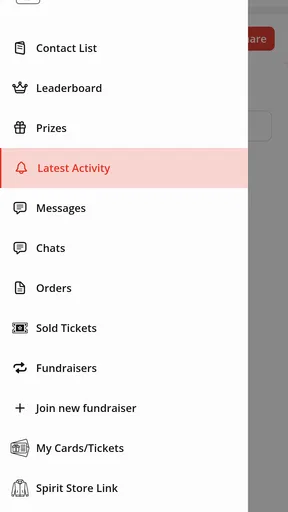
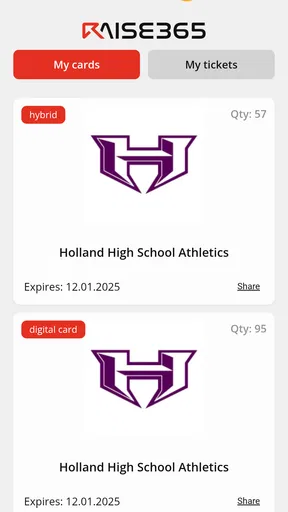
Our Review of RAISE-365
 Analysis by Appyee
I approached RAISE-365 as an events app with a practical question in mind: can it make everyday fundraising easier for people who do not want to manage a complicated system? Its central idea is appealing. Fundraising often involves many small tasks—sharing an event, keeping people informed, encouraging participation, and staying organized—and a focused mobile app can feel less intimidating than a collection of unrelated tools.
My overall impression is that RAISE-365 is most useful when the goal is to give a fundraising activity a clear mobile home. It is free, aimed at everyone, and developed by Raise 365. The app has reached over 100K installs, which suggests that the concept has found a real audience, although its 3.6 average from around 300 ratings points to an experience that will not feel equally smooth for every user.
That balance matters. I would not describe it as a universal replacement for every fundraising method. Instead, I see it as a potentially helpful option for people who want to coordinate fundraising from a phone and prefer a dedicated events experience over scattered messages, spreadsheets, and social posts.
How clearly the app presents fundraising tasks
I find that the clearest way to assess fundraising tasks is to look beyond whether they are visible and ask whether people can tell what deserves attention first. In this section, I focus on how readable instructions and a predictable sequence can help an occasional organizer avoid losing momentum. That matters especially when a campaign is being managed in short bursts between other responsibilities.
Readability and navigation come first
For a fundraising app, clarity is more important than visual excitement. A user may open it while preparing for a school activity, a community event, a personal cause, or a group campaign. They need to understand what to do next without studying a manual. In my view, RAISE-365 works best when I treat it as a guided workspace rather than as a place to browse casually.
The most important test is whether the path from opening the app to taking action feels obvious. A good experience should make the main purpose visible, keep event-related information together, and avoid forcing users to remember where each task lives. That is especially important for volunteers, family members, and occasional organizers who may only use the app during one campaign.
I also pay attention to the language used around fundraising. Terms should be familiar to people who are not professional organizers. If a button or screen assumes knowledge of fundraising jargon, it can create unnecessary hesitation. RAISE-365 has a simple enough purpose that its interface benefits from plain instructions and direct labels. The less time a person spends interpreting the app, the more time they can spend contacting supporters or preparing the event itself.
There is a useful distinction between a clean interface and a truly accessible one. A screen can look tidy while still requiring too much reading, too many taps, or too much memory. When I evaluate this app, I would judge it by whether a new organizer can return after a day away and immediately understand the current state of an event. That “return test” is more revealing than a quick first impression.
The strongest accessibility quality here is task focus: the app is built around fundraising and events rather than trying to become a general-purpose social network. That focus can reduce distraction for users who need a straightforward route from planning to participation.
Useful for first-time organizers, with a learning curve to watch
RAISE-365 is a better fit for people who want structure than for people who already have a polished workflow using spreadsheets and several communication platforms. A first-time organizer may appreciate having a dedicated place to think about an event instead of starting with a blank document. The app’s value is not only in any single screen; it is in giving the campaign a recognizable center.
At the same time, dedicated apps introduce their own learning curve. Every participant may need to understand a new interface, and that can be difficult when a campaign includes people with different levels of confidence using smartphones. An organizer should not assume that sending an invitation is enough. A short explanation of what the app is for, what action is expected, and where to begin can make participation much easier.
I would also recommend testing the complete journey with one person who is not involved in planning. Ask them to open the app, find the event, and identify the next action without help. If they hesitate, the problem may not be the person; it may be that the workflow needs clearer instructions outside the app. This is a practical way to discover friction before a campaign reaches a larger group.
Information density affects more than convenience
Fundraising screens can become crowded because they may combine event details, messages, progress information, and actions. For users with limited attention, reading difficulties, or a tendency to lose their place on busy screens, density can turn a simple task into a tiring one. I prefer interfaces that separate “what is happening” from “what I need to do now.”
When using RAISE-365, I would keep the supporting information for an event concise and consistent. If I were organizing a campaign, I would avoid writing long blocks of instructions inside a single description. Short sentences, familiar wording, and a clear order of actions would help more people participate, including those reading on a small phone while distracted or in a hurry.
Motor, sensory, and situational considerations
I also consider how the same fundraising workflow feels when someone is using one hand, coping with visual fatigue, or trying to concentrate in a busy venue. Those situations can change what counts as a manageable screen or instruction, even for a person who normally uses mobile apps comfortably. From there, the next section looks at practical ways to make participation less dependent on ideal conditions.
Touch interaction should accommodate different levels of precision
Mobile fundraising often happens in imperfect conditions. Someone may be carrying supplies, walking between rooms, using one hand, or sharing a phone with a family member. That makes small controls and crowded layouts more than a minor inconvenience. A user with limited dexterity may need larger targets, more time to confirm a selection, and fewer gestures that depend on precise swiping.
I would approach RAISE-365 with that in mind and avoid rushing through important actions. For organizers, the safest habit is to review an event after making changes rather than assuming that a quick tap saved everything exactly as intended. This is particularly valuable when several details look similar or when an action has consequences for other participants.
There is also a social side to motor accessibility. Some users may not be comfortable typing on a phone for long periods. If participation requires repeated text entry, an organizer can reduce the burden by preparing concise instructions and sharing only the information people genuinely need. The app may be the central tool, but the surrounding process still determines how demanding it feels.
Visual and sensory comfort matters during longer sessions
Fundraising is rarely a one-minute activity. An organizer may return repeatedly to check an event, update information, or coordinate with others. Extended reading on a bright phone can be tiring, especially for users who are sensitive to glare, contrast, animation, or dense visual patterns. I would use the app in a comfortable display setting and avoid assuming that everyone experiences the same screen in the same way.
People with low vision may also rely on the phone’s built-in text enlargement or screen-reading tools. The practical question is whether important controls remain understandable when the system enlarges text or reads labels aloud. I cannot treat general device support as a guarantee that every part of the app will behave perfectly, so I would test the specific workflow before inviting a group that depends on those tools.
For users with hearing differences, visual communication is essential. An event should never depend on an alert sound alone. Organizers should make key information visible in the event instructions and repeat time-sensitive details in a written channel that participants already understand. This is good inclusive practice regardless of which app is used.
Different attention patterns call for a simple campaign routine
Some users may have difficulty remembering multi-step processes, switching between screens, or returning to an unfinished task. A fundraising organizer can make RAISE-365 easier to use by establishing one repeatable routine: open the relevant event, review the latest information, complete one action, and close the app. That is more approachable than asking participants to explore every available area.
I find this especially useful for mixed-age groups. A teenager, a parent, and an older relative may all be participating in the same fundraiser but have very different expectations of a mobile app. A short, consistent routine gives everyone the same starting point without requiring the organizer to provide separate technical training for each person.
Access changes when the phone is not in an ideal environment
Situational access is easy to overlook. A user may be outdoors in strong light, in a noisy hall, on a weak connection, or using an older phone. The app is listed for devices running Android 7.0 or later, which gives it a broad compatibility range, but compatibility alone does not guarantee a comfortable experience on every device. Older hardware may make transitions feel slower, and a busy event location may make careful reading difficult.
For that reason, I would prepare important event details before the busiest part of a campaign. If a participant needs to make a decision while standing in a crowded room, they should not have to search through a long explanation. Clear names, short instructions, and a predictable sequence reduce dependence on ideal conditions.
This also answers a practical question many organizers have: can the app replace all other communication? I would not rely on it as the only way to reach people. A separate written reminder or familiar group channel can act as a safety net for anyone who has trouble opening the app at the right moment. That is not a criticism unique to RAISE-365; it is a sensible safeguard whenever participation depends on a mobile tool.
Where the experience may still create barriers
A focused app can still leave people behind if the surrounding campaign assumes everyone can install it, navigate it, and check it at the right time. I look at where those assumptions can become barriers and how an organizer can reduce the risk without abandoning the app’s structure. The following section weighs that trade-off against familiar tools and different participant needs.
A dedicated app can exclude people who prefer familiar tools
The biggest trade-off is the one common to many specialized event apps: focus versus familiarity. A spreadsheet can be edited by people who already know how to use one. A messaging service can reach people who do not want another app. A social network can make sharing feel immediate. RAISE-365 offers a more focused fundraising context, but that focus may come with an onboarding cost.
If your group is small and already coordinates successfully through a shared document, moving everything into a new app may create more work than it removes. I would choose RAISE-365 when the fundraiser benefits from having a dedicated event space and when the organizer is willing to help participants get started. I would choose a familiar alternative when speed, broad participation, or minimal setup matters more than a specialized workflow.
Ratings suggest that expectations should be realistic
The app’s 3.6 average from around 300 ratings tells me to keep expectations measured. That is not a reason to dismiss it, but it is a reminder that an app can be useful for one type of fundraiser and frustrating for another. Reviews at this level often reflect different phones, different campaign sizes, and different expectations about how much the app should handle.
I would begin with a small test event rather than committing an entire campaign immediately. Invite only the people involved in planning, ask them to complete the actions they will later recommend to others, and note where questions arise. This trial can reveal whether the app fits your group’s abilities and habits before a public launch.
Accessibility depends on the whole workflow
No single interface can solve every access problem. An inclusive fundraiser also needs readable instructions, flexible reminders, alternatives for people who cannot use the app comfortably, and an organizer who responds patiently to questions. RAISE-365 can be part of that system, but it should not become a gatekeeper for participation.
I would be cautious about making app use mandatory when the fundraiser includes people with older devices, limited data access, visual or motor needs, or little experience with mobile events. A simple backup method—such as a direct conversation or a familiar written channel—can prevent someone from being left out. The best approach is to let the app organize the experience without making it the only doorway.
Version and platform details are worth checking before a campaign
The current version is 2.0.10, and the app supports Android 7.0 and later. Those details are useful when planning a group activity because participants may be using a range of devices. I would ask organizers to check the app on the oldest phone likely to be used, not only on a newer personal device. That simple test can expose problems with text size, responsiveness, or navigation before they affect the whole group.
I would also avoid updating the campaign workflow at the last minute. Even a helpful app change can alter where users expect to find something. Once the group has practiced, keeping the instructions stable is kinder to users who depend on memory, repetition, or assistance from someone else.
Who should use it and who should look elsewhere
I can recommend RAISE-365 to a volunteer, family group, school community, or local organizer who wants a free mobile tool centered on fundraising events. It is particularly suitable when the campaign needs a shared point of reference and the organizer can offer a little guidance during setup. The Everyone age rating also makes it a reasonable candidate for mixed-age participation, while still leaving the organizer responsible for explaining the process clearly.
I would be less enthusiastic for a professional fundraising operation that needs a highly specialized system, detailed reporting, or a tightly integrated communications and payment workflow. I would also hesitate if the participants strongly resist installing dedicated apps or if many people rely on accessibility tools that have not been tested with the specific screens involved.
Compared with a spreadsheet, RAISE-365 should feel more purpose-built for an event, but a spreadsheet may offer more control for someone who likes designing their own structure. Compared with a messaging group, the app may provide better focus, while messaging remains easier for quick reminders and informal questions. Compared with a general social platform, it may keep fundraising activity more contained, but a social platform can have a lower participation barrier for people already using it.
That comparison leads to a useful decision rule: choose RAISE-365 when the fundraiser needs organization more than reach, and pair it with a familiar communication method when reach is the main challenge. In practice, using one tool for structure and another for reminders may be more inclusive than asking the app to do everything.
My inclusive verdict after reviewing the experience
RAISE-365 has a clear reason to exist: it gives fundraising events a dedicated mobile setting instead of leaving organizers to assemble a process from unrelated tools. I like that it is free and open to an Everyone-rated audience, and I can see why a volunteer who wants a more focused workflow would try it. The developer, Raise 365, has positioned the app around making fundraising feel less complicated, and that is a worthwhile goal.
My recommendation comes with a condition. Treat accessibility as part of campaign planning, not as a feature to check after inviting everyone. Test the app on different phones, keep instructions short, provide written alternatives, and give participants a way to ask for help without embarrassment. These steps make the experience more welcoming whether or not someone identifies as having an accessibility need.
For me, the app is most convincing in a small or medium-sized fundraiser where one person can guide the group and keep the event information orderly. Its weaker fit is a campaign that demands universal participation with almost no instruction, or one that already works perfectly through familiar tools. The average rating suggests a measured approach rather than blind confidence, but it does not erase the app’s practical promise.
My final view is that RAISE-365 is worth trying when a focused fundraising workspace matters, provided it is used as an inclusive aid rather than the only route into the event. Start with a small test, watch where people struggle, and keep a simple backup channel available. With that preparation, the app can make coordination easier without turning a fundraiser into a technology test that some supporters are unable to pass.
Privacy and Permissions
See what permissions an app requests and how it handles your data.
- Contacts
- read your contacts
- Location
- approximate location (network-based), precise location (GPS and network-based)
- Phone
- read phone status and identity
- Photos/Media/Files
- read the contents of your USB storage, modify or delete the contents of your USB storage
- Storage
- read the contents of your USB storage, modify or delete the contents of your USB storage
- Camera
- take pictures and videos
- Microphone
- record audio
- Wi-Fi connection information
- view Wi-Fi connections
- Device ID & call information
- read phone status and identity
- Other
- view network connections, pair with Bluetooth devices, access Bluetooth settings, full network access, control Near Field Communication, run at startup, draw over other apps, control vibration, prevent device from sleeping
Verdict
Strengths of RAISE-365
- Simple interface makes daily tracking quick and easy.
- Regular reminders can help users stay consistent with routines.
- Progress views make it easier to notice long-term improvements.
- Suitable for beginners who want a straightforward wellness tool.
- Works well for setting small, manageable daily goals.
Limitations of RAISE-365
- Some features may require a paid subscription or in-app purchase.
- Limited customization may not suit users with advanced tracking needs.
- Reminder notifications can become repetitive over time.
- Progress data may feel too basic for detailed personal analysis.
- Requires regular manual input, which can be easy to forget.
Similar Picks in This Category
View All
Easy Quran Mp3 Audio Offline
Muslim Worldapp4.7

Invitation Maker: Cards & RSVP
Greetings Island4.9

StubHub - Live Event Tickets
StubHub4.3

Fever: Events & Tickets
Fever Labs4.7

Epic Freebie Games Radar
Arioch Pds - Apps & Games4.4

Invitation card Maker, Design
Splendid App Maker4.9
Frequently Asked Questions
What is RAISE-365 and what can I use it for?
RAISE-365 is designed as a daily support and engagement app that helps users access its available resources, activities, and personalized content throughout the year. After installing it, you can explore the main dashboard, review the available sections, and use the tools provided by the service. The exact experience may depend on your account, location, organization, or the current version of the app.
Is RAISE-365 free to download and use?
You can generally download RAISE-365 without paying an installation fee, but some features may depend on the way the service is offered. Certain content, programs, memberships, or organization-based tools could require registration, eligibility, or payment outside the basic download. Before committing, check the app-store listing and the in-app terms for current pricing, subscriptions, and any limitations that apply to your account.
Do I need to create an account to use RAISE-365?
An account may be required to access the complete RAISE-365 experience, especially if the app provides personalized information, progress tracking, saved preferences, or access connected to a school, workplace, community, or other organization. Some introductory pages might be visible without signing in, but the available options can be limited. Use accurate details during registration and review the privacy information before submitting personal data.
Is RAISE-365 available for both Android and iPhone?
RAISE-365 availability can vary according to the operating system, country, and current publisher support. Check the official Google Play Store or Apple App Store listing before downloading to confirm that your device is compatible and that the application is offered in your region. It is also worth checking the minimum Android or iOS version, because older phones may not support the newest release or all of its features.
What should I check before downloading RAISE-365?
Before installing RAISE-365, review the developer or publisher name, recent update date, ratings, permissions, privacy policy, and user reviews in the official app store. Make sure you have enough storage and a compatible operating-system version. If the app is connected to an organization or specific program, confirm that you are eligible and know how to obtain login details. Avoid unofficial download sites and never share passwords through untrusted links.
